Re: The CGI Thread
i could never do that with any program. blender LeoCad, and a lot other stuff is wayyyyy to complicated for me. maybe is someone could post a little tutorial.....
 Bricks in Motion
We are a friendly filmmaking community devoted to the art of stop-motion animation using LEGO® and similar construction toys. Here, you can share your work, join our community of other brickfilmers, and participate in periodic animation contests!
A place to discuss, share, and create stop motion films.

You are not logged in. Please login or register.

i could never do that with any program. blender LeoCad, and a lot other stuff is wayyyyy to complicated for me. maybe is someone could post a little tutorial.....

Okay thanks, Ive just downloaded Bricksmith; seems to be a promising program. Does anyone else use it?
BRICKSMITH IS AWFUL! DON'T USE IT!


Goldenbrick wrote:Okay thanks, Ive just downloaded Bricksmith; seems to be a promising program. Does anyone else use it?
BRICKSMITH IS AWFUL! DON'T USE IT!
No offense, but that was a pretty bad piece of advice. I've used it before, and it's actually got a pretty user friendly interface, plus it does basically the same thing as MLCad or another basic Lego modeling program.
On a side note, Muszynski, you might have tried a simple search on YouTube. There are countless ones out there. I searched the words "blender tutorial" and there were loads of results right there. Here are a few I would reccomend if you're just starting to learn.

Sorry. Bricksmith never worked for me at all.

Just going to steal the spotlight for moment here...
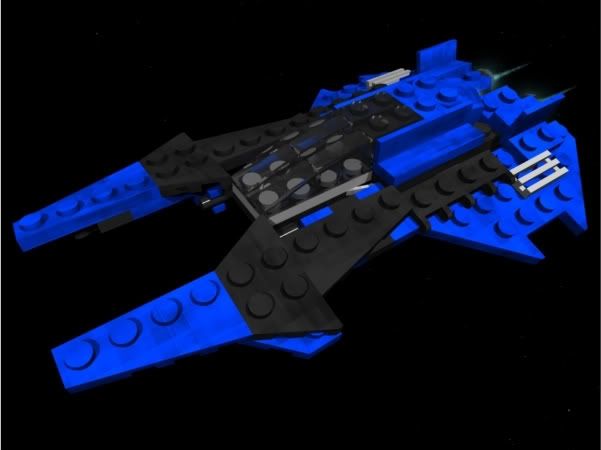
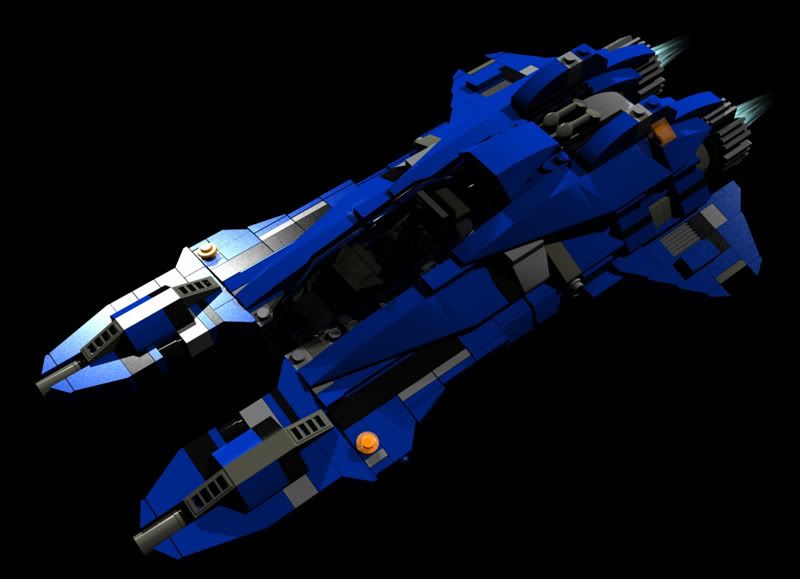
After finding some impressive designs by dasnewten (in brickshelf and flickr), I decided to make the fighters in my sci-fi side project to be minifig scaled.
So this
Becomes this.
Some alien characters and symbols will be added later.
HOW DID YOU DO THAT? 
And what program did you use?
Is there a tutorial I can find?
Will you tell me?
Please?




hey- which lego modeling software is best? LeoCAD, Bricksmith or the lego digital designer? also- with any of those choices, can you export them in .3ds (so i can import them into blender 2.53?) i use leocad- but it is kind of difficult.
Also! when ever i import a lego .3ds model into blender, i can only select one lego peice at a time (unless i hold shift). so does anyone know how to select the whole entire lego model faster?

Hit 'a'
This is just a test for a logo- i don't think i will use it. I'll probably make a different one. any idea's or recommendations? Here it is

Good animation, but A LOT of people have used bricks in their logos- think of a new idea, something more original. Like a LOGO, that was just text with a brick. Think of... I don't know.


im starting aseries of blender tutorials on my channel
not necessarily for LEgo blender though
check it out
http://www.youtube.com/user/Mutuceba?feature=mhum
It was pretty good Mutuceba, and it did exactly what it said, which is teach you about cloth in Blender. However, I would have liked to see a bit better of an example, such as maybe a colored, textured, smooth cloth fall on top of a basic house or chimney or something, instead of just a cloth and a cube. When making tutorials, detailed is always better, as long as you do it in a timely manner.
will take into acount bg
thanks

hey- which lego modeling software is best? LeoCAD, Bricksmith or the lego digital designer? also- with any of those choices, can you export them in .3ds (so i can import them into blender 2.53?) i use leocad- but it is kind of difficult.
Also! when ever i import a lego .3ds model into blender, i can only select one lego peice at a time (unless i hold shift). so does anyone know how to select the whole entire lego model faster?
I use MLCad to buil, then LeoCAD to export it as .3ds and then import it in Blender.
Press b to select an area of objects then press strg+j .. join selected mesh to one object .. then all bricks belong to one object!
Here is a Test movie where nearly every scene containes CGI animation. Done with Blender 2.49.
Last edited by Piet (September 27, 2010 (02:38am))

Can yone help me
Ive been using blender 2.5 and its been acting up lately
Everytime i save a render or try and pull up a background image its just crashes
here is and example
http://www.youtube.com/watch?v=r_47d5TZD78

QUESTION: how do you make a cgi background in a stop motion scene? I know that I have to green screen and all that stuff.
This thread needs a good old BAMP!

Some of the verts aren't prefect, and I still need to work on the weight painting more, but as of the moment I'm pretty satisfied with it.
I'm rendering out an animation at the moment, (as a test of animation, camera movement, and seeing what verts didn't get weight painted) but until then, anyone have any feedback?
Last edited by BGanimations (October 22, 2010 (10:14am))
*Falls out of chair*
Exo-Force Film?!? Inconceivable! I applaud you sir!
It looks great BG, but I'll be more impressed if you manage to render that out in an animation using anything other than a white background!
What are you using for the eye material?


Posts [ 361 to 380 of 1,429 ]