
Topic: A lightsaber test with LSmaker
http://www.youtube.com/watch?v=RoK-ikn9Zb0
It is actually my first try at using LSmaker. x) And it is very short.
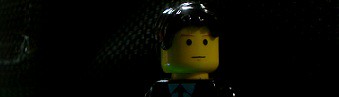
Into the darkness once more. I walk into the unknown. To a far better life than I've ever known.
 Bricks in Motion
We are a friendly filmmaking community devoted to the art of stop-motion animation using LEGO® and similar construction toys. Here, you can share your work, join our community of other brickfilmers, and participate in periodic animation contests!
A place to discuss, share, and create stop motion films.

You are not logged in. Please login or register.
http://www.youtube.com/watch?v=RoK-ikn9Zb0
It is actually my first try at using LSmaker. x) And it is very short.

Dude, you forgot to make the white blade center. And the brightness of the lightsaber kept changing. Don't worry, most everyone does that  . Keep at it, and feel free to ask me any questions about the program.
Dude, you forgot to make the white blade center. And the brightness of the lightsaber kept changing. Don't worry, most everyone does that
I was trying to make it flicker, actually. xD
And oh...yeah, the white center...I did forget that. x) I have to give you credit on your video, it is a pain to add the effect to each frame!
It is a pain when you first start. But after having done it for awhile, it only takes me about 20 seconds for each frame  .
.
Ah, so practice does make perfect!  haha!
haha!
Oh, I see how you add the white in the middle now. When you are making a saber, do you only use the tools in the "effects" tab, or do you have to move on to masking and stuff?
It depends, I try to make the clip where I don't have to use the masking 'cause that is a pain in the a$$. It's really hard to see where to put the masking and almost as hard not to paint over an area where the lightsaber is supposed to show.
I see. So you try to only use the basic effects.  Thanks for the help!
Welcome.
Posts [ 8 ]


