



Topic: Weird "x" in Blender 2.66
So I was trying to learn something about the node editor, and when I move my cursor over the viewer node, a, "x" appears on the image. I'm using Blender 2.66a for Windows 32-bit (although I have a 64-bit OS). Anways, here's a screenshot with the problem circled in red. And you can ignore the three unconnected nodes. Any help would be appreciated. 
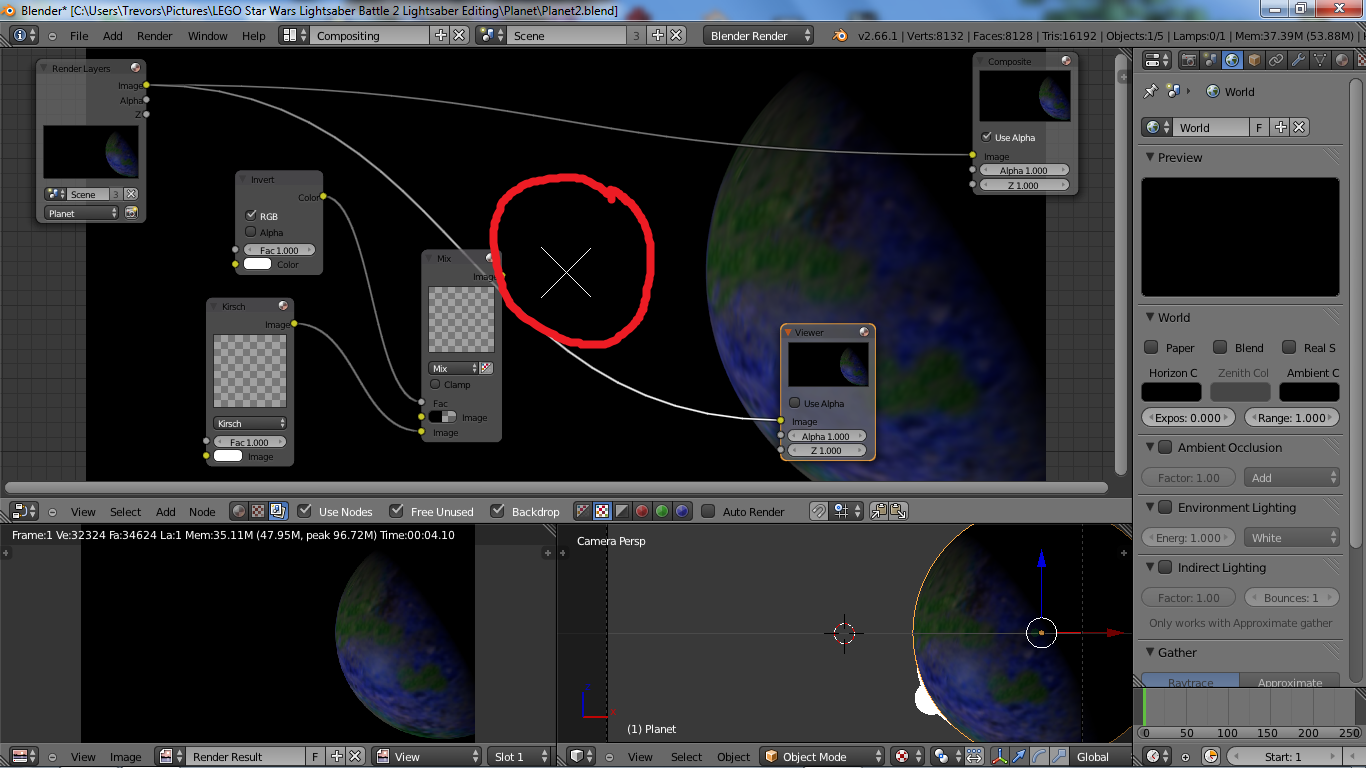
Also, if it helps, I've been using this tutorial.
Last edited by legoguy501 (June 15, 2013 (02:52am))


