Re: Frame from Your Upcoming Film
Brickfilms were never "always enjoyable." People selectively remember the ones they liked.
 Bricks in Motion
We are a friendly filmmaking community devoted to the art of stop-motion animation using LEGO® and similar construction toys. Here, you can share your work, join our community of other brickfilmers, and participate in periodic animation contests!
A place to discuss, share, and create stop motion films.

You are not logged in. Please login or register.

Brickfilms were never "always enjoyable." People selectively remember the ones they liked.

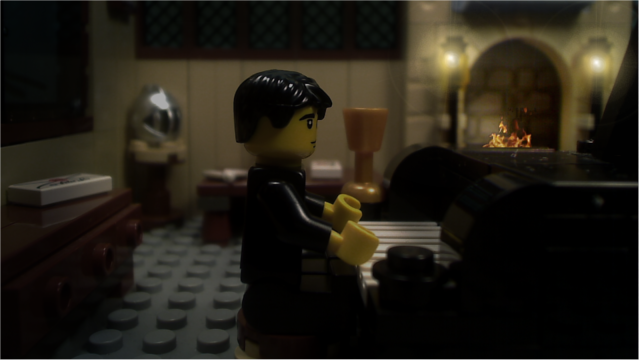
Frame from my Festival of Souls (still untitled) entry 
-EmmaExecute
I'm really digging the lighting there. The set is nicely detailed, but not too busy.

wow yeah lighting and set are both amazing!! But the fire in the background seems a bit unnatural. 
Yeah, I thought the piano was on fire, at first.

I dont know what program you are using to add the fire into the shot but if you use a light gausean blur on that layer it will match the fireplace much better. Otherwise it looks excalent.
Haha, thats what it's missing! I totally forgot about that, thanks for reminding me
-EmmaExecute

Here are two frames from our upcoming FOS entry Brick or Treat:
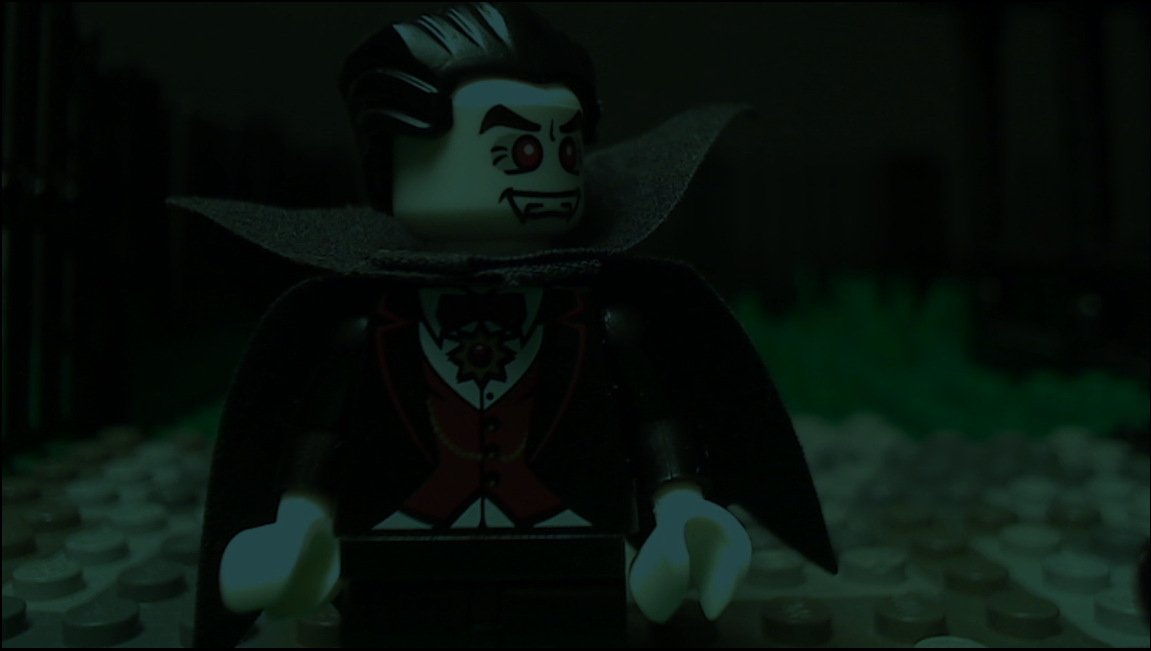
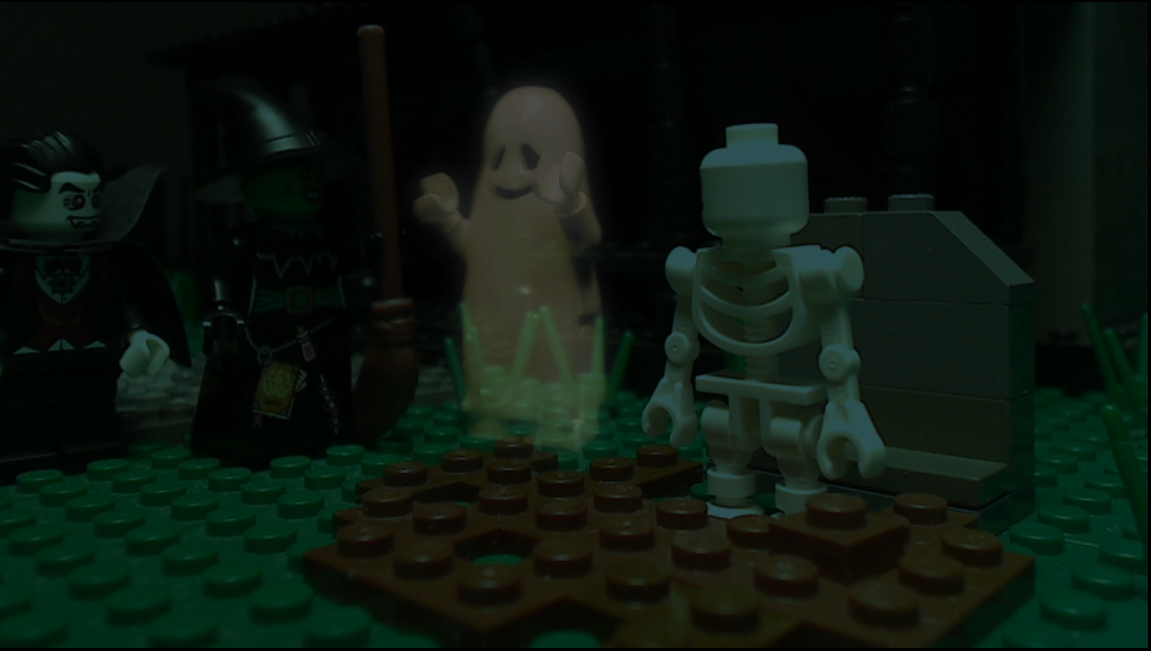

Looks absolutely awesome BuilderBrothers!!
ye looks superb, cant wait till it's released - love the ghost effects 
The effects are well done, though I must say I don't like the lighting: it looks like you put a filter in front of the camera and shot with normal light. I'd try something more "night looking".

The effects are well done, though I must say I don't like the lighting: it looks like you put a filter in front of the camera and shot with normal light. I'd try something more "night looking".
I agree. Maybe turn the exposure down a bit?

MPfist0 wrote:The effects are well done, though I must say I don't like the lighting: it looks like you put a filter in front of the camera and shot with normal light. I'd try something more "night looking".
I agree. Maybe turn the exposure down a bit?
Interesting idea. However, that may make the scene a bit too dark. We want to make sure that the audience can easily see what's going on, not barely going on.
BGanimations wrote:MPfist0 wrote:The effects are well done, though I must say I don't like the lighting: it looks like you put a filter in front of the camera and shot with normal light. I'd try something more "night looking".
I agree. Maybe turn the exposure down a bit?
Interesting idea. However, that may make the scene a bit too dark. We want to make sure that the audience can easily see what's going on, not barely going on.
In that case then it would be better to use a bit more contrast. When I film night scenes I make them pretty dark when I film, and put the exposure down a lot, and then color correct it in AE to make it look like complete nighttime instead of just a bit darker than usual.
We tryed lowering the contrast, and though it did make it look more like night, it made it very hard to see what was happening (especially the witch, since she wears black), so we probably won't do it. Thanks for the critique though. We'll keep it in mind.
I've found that lighting the background with blue light and lighting the minifigs with yellow or white light helps create a good 'night look' I would use white light for moon light, and yellow light for street light.
Ok. Thanks for the tip. However, since we are running low on time, plus the fact that we've already flmed so much of the outside shots, we'll probably just keeping using the same techniques. Not to blow you guys off or anything, but we just really don't have the time to experiment with all these techniques. We're reallly tight on time right now (we're actually animating right now), since the film will probably be over 10 minutes long.

Note to everyone: whatever "night lighting" technique you use, keep in mind that Youtube seems to darken the films. There have been several brickfilms that I have viewed that are so dark in parts I can't tell what is going on, and that drives me CRAZY!
BuilderBrothers - I hope you make the deadline in time since I am the star (hehe - I'm the witch's voice ).
Ok. Thanks for the tip. However, since we are running low on time, plus the fact that we've already flmed so much of the outside shots, we'll probably just keeping using the same techniques.
I understand, once you've started with something you have to finish with it, as my way is in camera it would be more work to change, but if you start that way it is a bit less work in post (which I always like) I mostly just hate doing anything in post.
Posts [ 441 to 460 of 3,680 ]