
Re: The Photo Manipulation and Creation Thread
Okay, screw the new theme, you win. 
 Bricks in Motion
We are a friendly filmmaking community devoted to the art of stop-motion animation using LEGO® and similar construction toys. Here, you can share your work, join our community of other brickfilmers, and participate in periodic animation contests!
A place to discuss, share, and create stop motion films.

You are not logged in. Please login or register.

Okay, screw the new theme, you win.

We are having a bit of trouble with installing GIMP plugins. We wanted to install GAP, so we did the following:
1. We extracted all the files from the download to a new folder.
2. We took this folder and put it into the plug-ins folder of the main GIMP folder.
3. We restarted our computer, and then we went into GIMP. We couldn't find any sign that the GAP plug-in had been installed!
How do you get GAP to work? (We use Windows Vista.)


That happened to me too.
When I googled it, I found this page. Download the first link it gives you. Go to the folder it's in, extract the files, and then go to the GAP setup file in the folder. After that restart GIMP and it should be there.
Thanks! It works now!
EDIT: We now have another problem. We want to morph images like Yoder did, so we followed a tutorial on the subject. We got two images, set the control points, and hit "OK." After this, we went to Filter/Animation/Playback to view it. It was waaaaayyyyy too fast! So we decided that we should save it as a gif and lower the framerate. Unfortunately, being newbies with GIMP and all, we don't know how to do either of these things. Could anyone tell us how to do these things? It would be much appreciated!

Just turn the number of frames you want created up. The more frames, the more fluid and slowly it goes.
Where do you do this?
It should be down in the bottom left of the morph window.
You mean the steps?
That's the one...I think...yeah, it's that one. 
Ok, that worked. Now, how do you save it as a movie file or gif? We tried the video encoder, but it always seems to crash on us.  It always gives us this message:
Calling error for procedure 'gimp-file-save':
Procedure 'gimp-file-save' has been called with an invalid ID for argument 'drawable'. Most likely a plug-in is trying to work on a layer that doesn't exist any longer.

click save as then choose gif as the file format. a window will pop up with an option to save it as an animation. I'm just saying this from what i remember so let me know if it doesn't work.
It worked! Thanks for all the help guys!  A quick test gave the following results:

It is a bit rough, but the overall result is satisfactory in our opinion. It was made using these two images: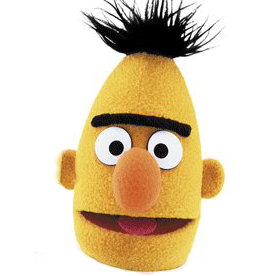


Other than the grey showing it looks great.
Thanks! We don't know why the grey is showing. It must be the fact that the images are being resized.
An easy fix would be to make the white transparent by either going "Color to Alpha" or just color picking and deleting. It looks great otherwise though!

so who is going to choose the new theme? or has the whole contest thing just kind of fizzled out...
Last edited by brenden17 (July 8, 2010 (03:30pm))
I think it's LegoDudez's turn.

Edit a rubber duck, it can show personality (Tell me if it does) or just be random (Like mine), 14th of July is the deadline...
kthxbia (I'll change it later!)
Last edited by zerowellies (July 12, 2010 (11:52pm))


Posts [ 601 to 620 of 1,030 ]





