
Topic: A Software Question.
Hello everyone,
I am wondering if you are able to make one object in a video green, red etc... and keep the rest of the shot grey in Vegas.
Suggestions would be much appreciated.
Kind Regards,
-Kevin
 Bricks in Motion
We are a friendly filmmaking community devoted to the art of stop-motion animation using LEGO® and similar construction toys. Here, you can share your work, join our community of other brickfilmers, and participate in periodic animation contests!
A place to discuss, share, and create stop motion films.

You are not logged in. Please login or register.

Hello everyone,
I am wondering if you are able to make one object in a video green, red etc... and keep the rest of the shot grey in Vegas.
Suggestions would be much appreciated.
Kind Regards,
-Kevin


Vegas? I don't know. Search for a ''Leave Color'' Plug-in I suppose.

I would know how to do it in After Effects but I couldn't in Vegas.  Just to make sure you're talking about this kind of effect:

Am I right? 
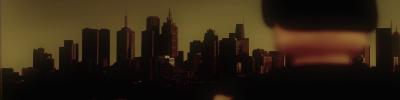
yeah. I also know how to use it in After Effects, it's very easy there.
The Sin City effect (why didn't you say it before).
Another time Search in YouTube.
Linky for tutorial

well first some clarification is needed:
are you trying to achieve a "Sin City" effect where One Color visible and the rest is grayscale
or are you trying to get a "pleasantville" effect where One complete Character or Object is in color and the background is in grayscale
The Pleasantville effect
Posts [ 8 ]


