
Topic: Reflection
Well, with the darker bricks there is a reflection coming from my camera. How do I make the bricks... smudged or in a way to make the bricks stop reflecting?
π Cherry π Banana Cream π Pumpkin π Lemon-Lemon π Black Berry π Quiche π
 Bricks in Motion
We are a friendly filmmaking community devoted to the art of stop-motion animation using LEGO® and similar construction toys. Here, you can share your work, join our community of other brickfilmers, and participate in periodic animation contests!
A place to discuss, share, and create stop motion films.

You are not logged in. Please login or register.

Well, with the darker bricks there is a reflection coming from my camera. How do I make the bricks... smudged or in a way to make the bricks stop reflecting?
I animate with a Logitech 9000, which has a shiny part on it that would always leave a reflection. I covered it with dark electric tape and that fixed it quite well.
Ah reflection is one of the biggest problems when animating with Lego Bricks. 
Here's a few things you could try:
Wear dark clothes when animating
Animate with your camera further away from your set and crop your footage in post so it appears closer
You could also distil your lighting (if you don't already) - all this means this that you place a sheet of paper (greaseproof paper if you are worried about setting fire to your house) over each of your lights so they're less harsh and therefore reflect less light
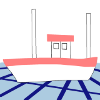
Another solution is to try doing what the Builder Brothers did in this behind the scenes picture from The Squire and the Scroll:
They did this mainly to stop their reflections appearing on the King's crown although it probably helps for general reflection issues too.
Finally, try playing with your lighting set up to see if you can minimise reflections or atleast have them occur in an inconspicuous area of your set
Thank you so much, these methods will come in handy.
Posts [ 4 ]


