



Topic: Webcam 9000 problems
I have a Logitech webcam Pro 9000, and even though I set everything on manual I still have light flicker. 
Yes, I have everything on manual! This is not me, or outside lighting! I have turned off all the lights but the studio lights and animated in the night. This problem is odd because I didn't have it when I filmed The Three Knights.
Here is an example of what happens:
I build a desert set and put a camel on it. When I placed the camel on-screen some parts of the screen go darker, when the camel is removed the lighting returns to normal. The odd thing is that the camel must be on-screen a certain amount to affect the lighting.
I think it is some auto-exposure or white balance issue, but I have uninstalled and reinstalled the cam software.
Also, I use SMA to animate on a HP laptop running Win 7, but this problem also happened when I tried Monkey jam to animate.
I would like an answer as quick as possible.
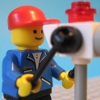








 Let's take one of my clips for an example on the lighting problem:


