
Topic: 1st person effect?
How can I get a camera angle to look like 1st person, its specifically for a fight scene, I would like to have the arms and hands displayed, but not sure if this is possible.
 Bricks in Motion
We are a friendly filmmaking community devoted to the art of stop-motion animation using LEGO® and similar construction toys. Here, you can share your work, join our community of other brickfilmers, and participate in periodic animation contests!
A place to discuss, share, and create stop motion films.

Ad
You are not logged in. Please login or register.
How can I get a camera angle to look like 1st person, its specifically for a fight scene, I would like to have the arms and hands displayed, but not sure if this is possible.

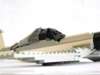
It's easy enough to show the arms just by blu-tacking them either side of the camera lens. Not so easy to get them in focus though.

Thanks alot for this, So now I have to figure out how to move them xD

If you have to, you could add it in post production, however that would take some time and effort to get it to look realistic.
You could rotoscope them in, in post production.

It's easy enough to show the arms just by blu-tacking them either side of the camera lens. Not so easy to get them in focus though.
What Camera are you using there? 

0ldScratch wrote:It's easy enough to show the arms just by blu-tacking them either side of the camera lens. Not so easy to get them in focus though.
What Camera are you using there?
I'm pretty sure that's a Logitech Quickcam Pro 9000
Last edited by LegoComDude (April 27, 2011 (04:45pm))

Slight question, what is the Sticky-Tac on top for?

Umm... the only reason I'd put some Sticky-Tack there is to stop the reflection of the black plastic on the set.
The ring around the lens on the QCP9K is silver. Depending on your angles, it can reflect bright lights onto the things you're filming. The scribble around the rest of the ring was my first attempt at stopping this. The blu-tack on top was the second attempt.

I would animate the hands in front of a green screen then key them out and composite them on to the original video.


Posts [ 11 ]


