
Re: Cameras Under $600
I don't use remote capture x] I guess I am doing this all wrong.
 Bricks in Motion
We are a friendly filmmaking community devoted to the art of stop-motion animation using LEGO® and similar construction toys. Here, you can share your work, join our community of other brickfilmers, and participate in periodic animation contests!
A place to discuss, share, and create stop motion films.

You are not logged in. Please login or register.
I don't use remote capture x] I guess I am doing this all wrong.

I am shooting blind and using Canon's wired remote, in the past I have had my camera teathered to the computer and when I released the shutter on the remote the picture was auto downloaded to the computer.
I'm getting good results with a Canon Digital Rebal XTi from a few years ago and some old Nikkor lenses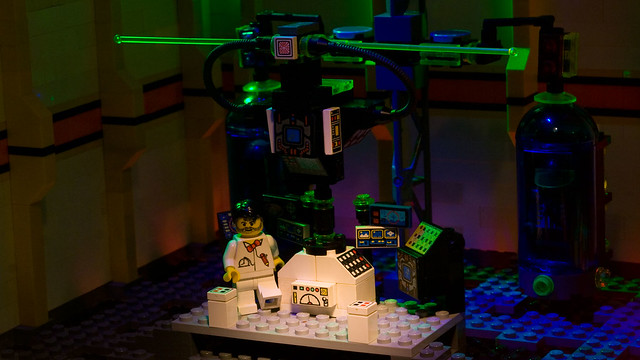
A lot of the newer canons have live video feed which can be useful for framegrabbing, as far as under $600 the Digital Rebel XS has a live view of 858 x 560 according to the Dragon Stop motion site, that camera costs about $525 on amazon and is probibly in the same class as my camera.
I am using a Nikkor to EOS lens adaptor as well, My favoret lens by far is an old Nikkor Micro 55mm lens, it really can take increadable close up photos.
Not to get off topic here, but your lighting is sick!

12.2 megapixels is more than enough for an HD-resolution video.
Would there be an HD PICTURE option though? Not HD video but HD pictures? I called Canon to ask and i'm not sure what the representative thought I was asking about but he answered that no, pictures would not be in HD.........

It will not have an HD picture option, it will have a high quality or fine quality mode. That camera takes pictures in 4K or 2K, which is over HD quality. Your animation program should be able to convert that down to HD.

It will not have an HD picture option, it will have a high quality or fine quality mode. That camera takes pictures in 4K or 2K, which is over HD quality. Your animation program should be able to convert that down to HD.
What he said. Just crop it down in your editing program and you should be good to go.
-Greenscreener

It will depend on your editing program, but sometimes you don't have to crop down the frames/clip. I use Adobe Premiere Pro and it crops down my frames for me automatically.
It will depend on your editing program, but sometimes you don't have to crop down the frames/clip. I use Adobe Premiere Pro and it crops down my frames for me automatically.
But technically speaking you still are croping it when you decide if you want your project to be 1920x1080 or 720x480. 
i have Sony Vegas Movie Studio HD Platinum 10 can someone please download the trial and see if they can convert their pics to HD on it if u have the time?
I tried it out on a trial version, and Sony Vegas automatically converted my 2K image down to 1080 (Full HD).
thanks man

Why do you want an actual camera? The webcam works fine for me.
That must be low-res webcam because there are others that support HD.


#1 BUMP.
#2 He's agreeing with you.
Posts [ 21 to 33 of 33 ]


